
How to open an IFC file for free
Use a browser viewer to open an IFC export and inspect its objects. Start with a small, representative file and check the result against the authoring model.
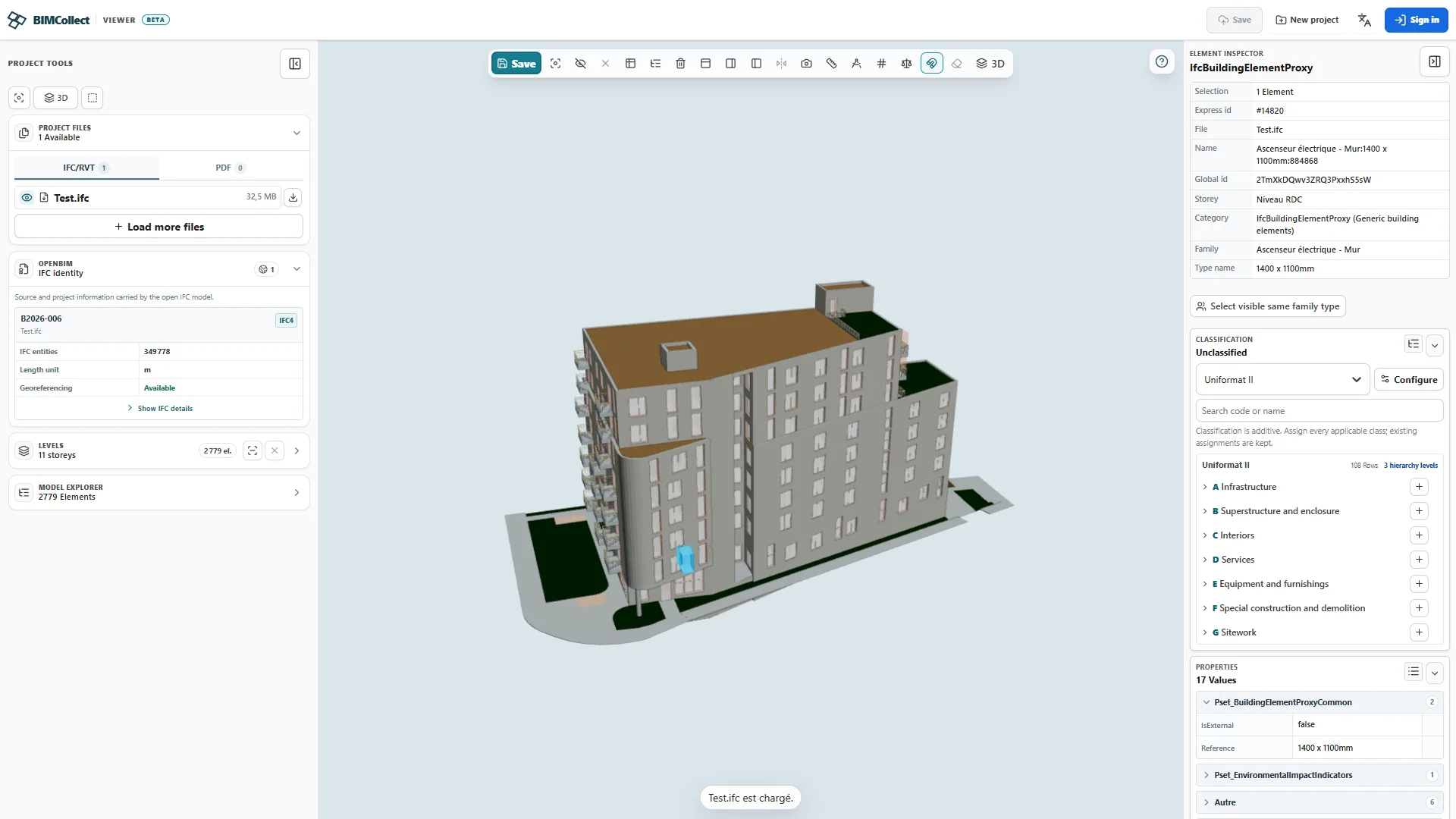
1. Prepare your file
Use an IFC exported by the model's author. An RVT file is a different format; obtain an IFC export first. Keep the source revision and exchange settings with your review notes.
2. Open and inspect
Open BIMCollect's free viewer, choose your local file and allow it to load. Navigate to a familiar wall or slab, select it and inspect its IFC class, storey and properties.
3. Check what arrived
Compare one known dimension, one property and the expected storeys with the source. If geometry or data is missing, check the export scope and settings with the author. A rendered model can still have incomplete information.
4. Choose your next step
Continue reviewing local data or move into a quantity review. If you need to share, use a hosted project's explicit access settings; local opening alone does not grant other people access.