
Open your models
Drop IFC files onto the viewer and inspect them immediately in your browser.
View, federate and explore IFC models directly in your browser for free. No specialist software to install and no account required.
Free · No account · No credit card · Local processing in your browser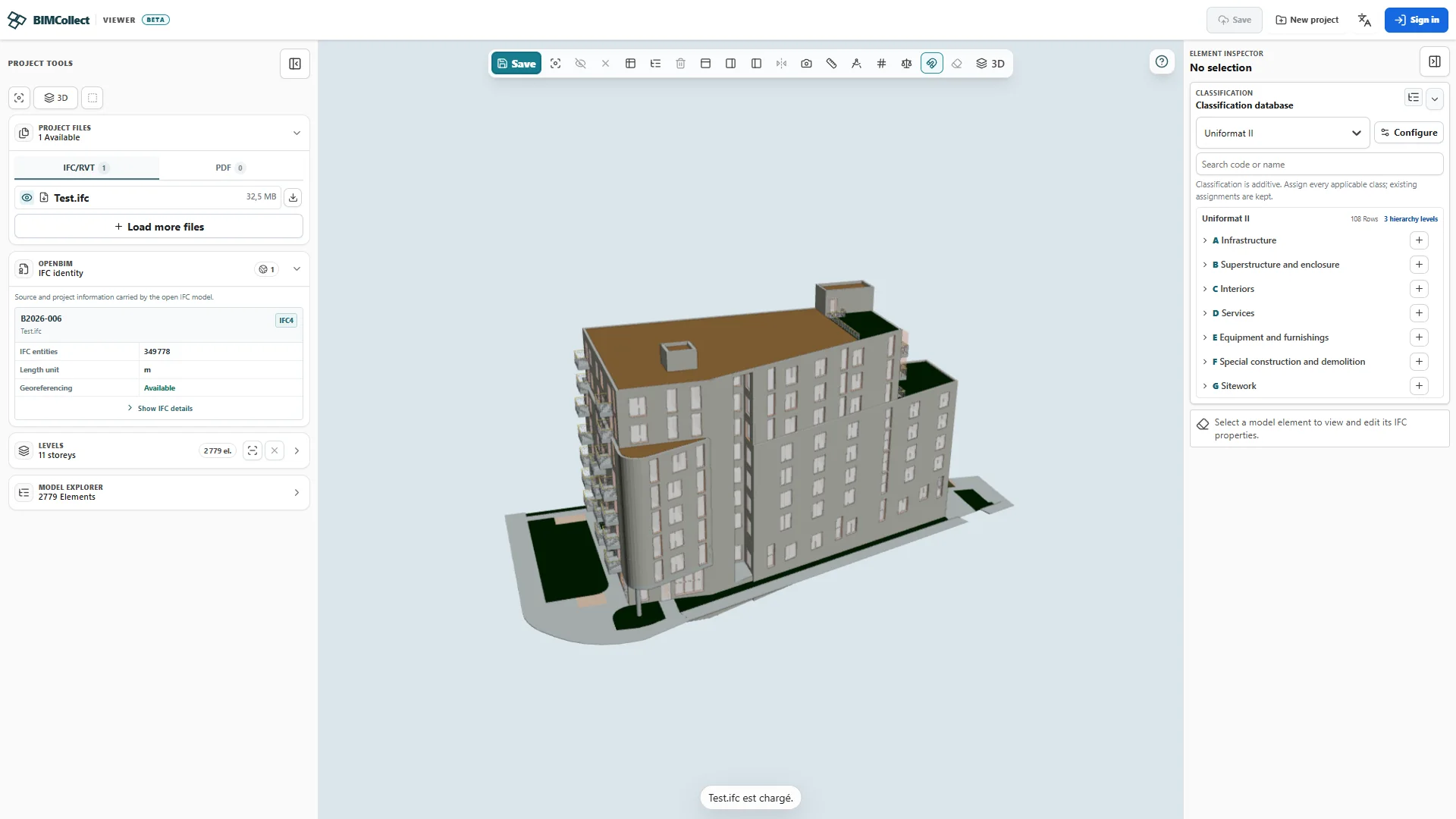
Drop IFC files onto the viewer and inspect them immediately in your browser.
Bring architecture, structure and MEP together in one review view.
Inspect the properties, classifications and information connected to each object.
Move from model to data without losing context. Select an object, inspect its IFC identity and properties, apply a classification, then open a filterable schedule in the same browser workspace.
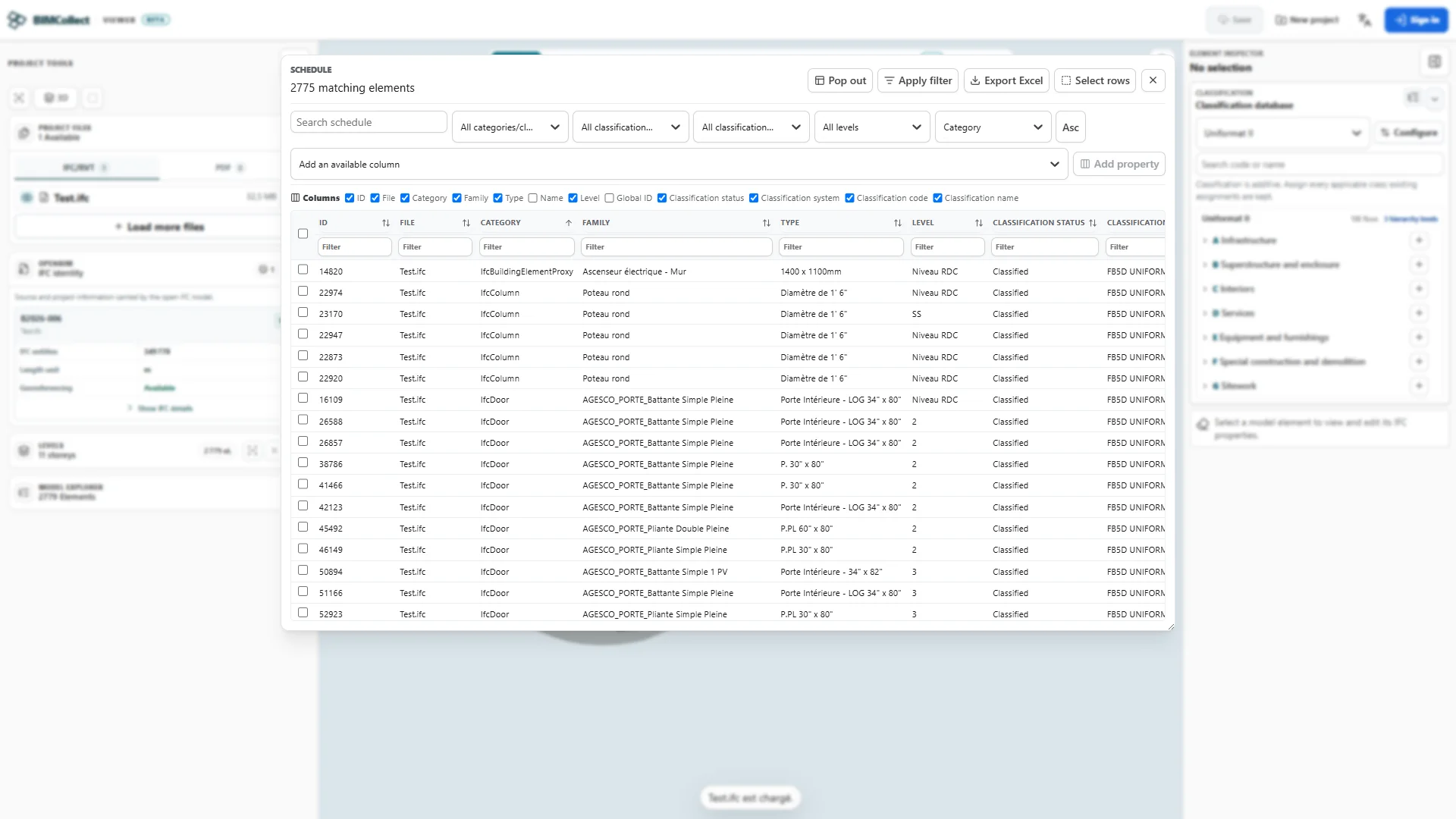
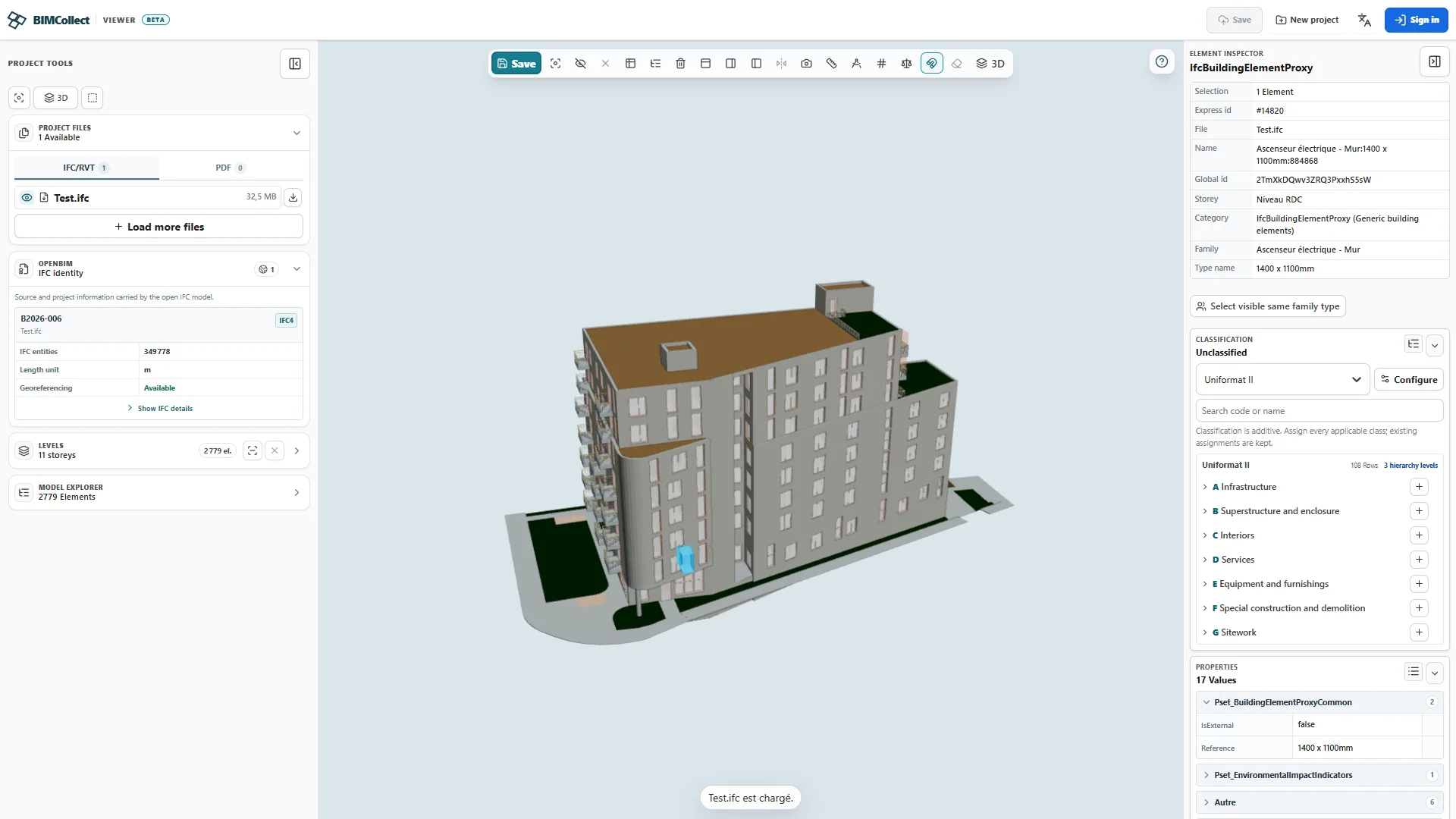
Open and review real project files. Explore geometry, properties and classifications before creating an account or choosing a professional workspace.
01Open local IFC models and PDF plans with no account
02Federate architecture, structure and MEP
03Navigate storeys, classes and source models
04Inspect object properties and classifications
05Build searchable schedules from model data
06Measure length and area, and count objects
07Use sections, visibility controls and filters
08Capture clear model views for project conversations
09Explore IFC, Uniformat, MasterFormat, OmniClass, Uniclass and Specialties
10Drop multiple files, follow the queue and add them automatically
11Process local IFC and PDF files on-device until you choose to share them
BIMCollect opens IFC and PDF files locally and uses open standards to make information accessible to the whole team. For a Revit model, start with an IFC export and check the resulting information in the viewer.
Review architecture, structure, MEP and civil models alongside 2D plans while keeping every source visible and traceable.
Preserve storeys, classes, properties and classifications alongside the geometry instead of flattening the model into screenshots.
Give delivery, commercial and owner teams useful model access without asking every reviewer to learn or license the authoring tool.
Standardize data without forcing a new vocabulary on the business. BIMCollect connects IFC objects to ready-to-use international systems or the classification your teams already use.
A functional structure for comparing elements and costs from early project stages.
Detailed organization of work, products and specifications for delivery teams.
Designed-element classification for a structured, multi-stakeholder view.
A consistent reference for assets, systems, products and activities.
A structured catalogue for specialized project equipment and products.
Recreate your internal codes, work packages, cost families or asset structure directly. Add as many levels as necessary and adapt the labels so teams keep using the business language they already know.
Create roots, families and sub-levels directly inside BIMCollect around your internal method.
Filter and analyze objects through the classes that structure reviews and schedules.
Keep the codes and terms already understood by design, delivery, procurement and asset teams.
The free viewer lets you explore and use the built-in catalogues, including Uniformat, MasterFormat, OmniClass, Uniclass and Specialties, in model context.
Open a model for freeCreate and share organisation-specific systems so every project can use the same controlled language.
Plan a team rolloutMove beyond isolated file review when the project needs continuity. Keep approved models, versions, schedules, access and shared review context together.
Keep approved discipline models and versions together in one project context.
Navigate, inspect, filter, classify, schedule and measure in the browser.
Send controlled public links with the right files, expiry and download policy.
Bring members and external reviewers into the same open model context.
Free viewers do not all draw the line in the same place. This comparison focuses on what a team can actually do before an installation, account creation, or paid license becomes necessary.
| Capability included free | BIMCollectFree | Autodesk ViewerFree | BIMcollab ZoomFree mode | Solibri AnywhereFree · legacy |
|---|---|---|---|---|
| Runs in the browser | Yes | Yes | Desktop application | Desktop application |
| Start without an account | Yes | Account required | Download required | Account + download |
| Local IFC processing, no cloud upload | Yes, in the browser | No, cloud upload and conversion | Yes, on desktop | Yes, on desktop |
| Multi-IFC federation | Included | Not listed for the free viewer | Included | Starter upgrade path |
| Structured IFC data exploration | Included | Model viewing | Included | Included |
| Searchable model schedules | Included | Not listed | Lists require a license | Predefined only |
| Visual takeoff | Length, area and counts | Measurement tools | Licensed tools | Enhanced tools in paid offer |
| Current free-product development | Active | Active | Active | Legacy since April 2026 |
In this comparison, BIMCollect is the only option combining no-account browser access, local processing, multi-model federation, schedules, and takeoff in one free edition. The organisation workspace becomes necessary for centralization and governance, not for discovering the data in your IFC files.
Open a model for freeFree editions compared against official vendor documentation reviewed in August 2026. Features and conditions may change.
Official sourcesNo migration event is required to prove value. Begin with local model and 2D plan review, then add the shared controls a live project or organisation needs.
The free workspace is designed for real project evaluation, not a restricted demo. Open local IFC models and PDF plans, federate disciplines, explore model data, build schedules and complete visual takeoff before an account or procurement conversation is required.
Organisation workspaces add authenticated members, role-aware permissions, governed project files, version history, controlled public links, saved configurations, usage visibility and administrative oversight.
A shared browser context replaces disconnected screenshots and repeated file handoffs. Internal members and external reviewers can see the building information relevant to their decision without entering the authoring environment.
Federate disciplines, verify model identity and keep every source traceable.
Review storeys, isolate systems and bring model context into coordination decisions.
Build schedules, structure objects by classification and perform visual takeoff without authoring seats.
Open a controlled browser link and review the building in a clear, vendor-neutral interface.
OpenBIM does not mean unmanaged. Organisation workspaces keep a clear boundary between free local review, authenticated collaboration, governed hosted files and deliberately shared external access.
Yes. Local IFC opening, multi-model federation, storeys, model exploration, inspection, classifications, filters, schedules, sections and measurement tools are available for real project review.
BIMCollect is designed around openBIM review workflows for IFC2x3, IFC4 and IFC4x3 files. Model fidelity still depends on the quality and settings of the source export.
Yes. The workspace is source-neutral: teams can review standards-compliant IFC exports from different authoring applications together while retaining each file as a distinct source model.
No. BIMCollect is a browser-based openBIM review, information and collaboration layer. Authoring remains in specialist design applications; review becomes accessible to the wider project organisation.
The free browser workflow can parse and render IFC locally. Hosted and collaborative workflows can be introduced when a company needs managed files, versions, identities and sharing.
Most organisations start free with representative IFC files and a cross-functional review. Once the workflow is validated, they define project access, hosted-file policy, member roles, external sharing and administrative ownership.
Discover what your IFC models already contain. No installation, no account and no credit card.